Module 7: Product Design
Welcome
Hey there!
Welcome to Module 7 of Low-Ticket Product Creation Playbook, a mini-course inside of Low-Ticket Launchpad.
In this module, I’m going to show you how to design your digital product and make it look professional.
Like this!
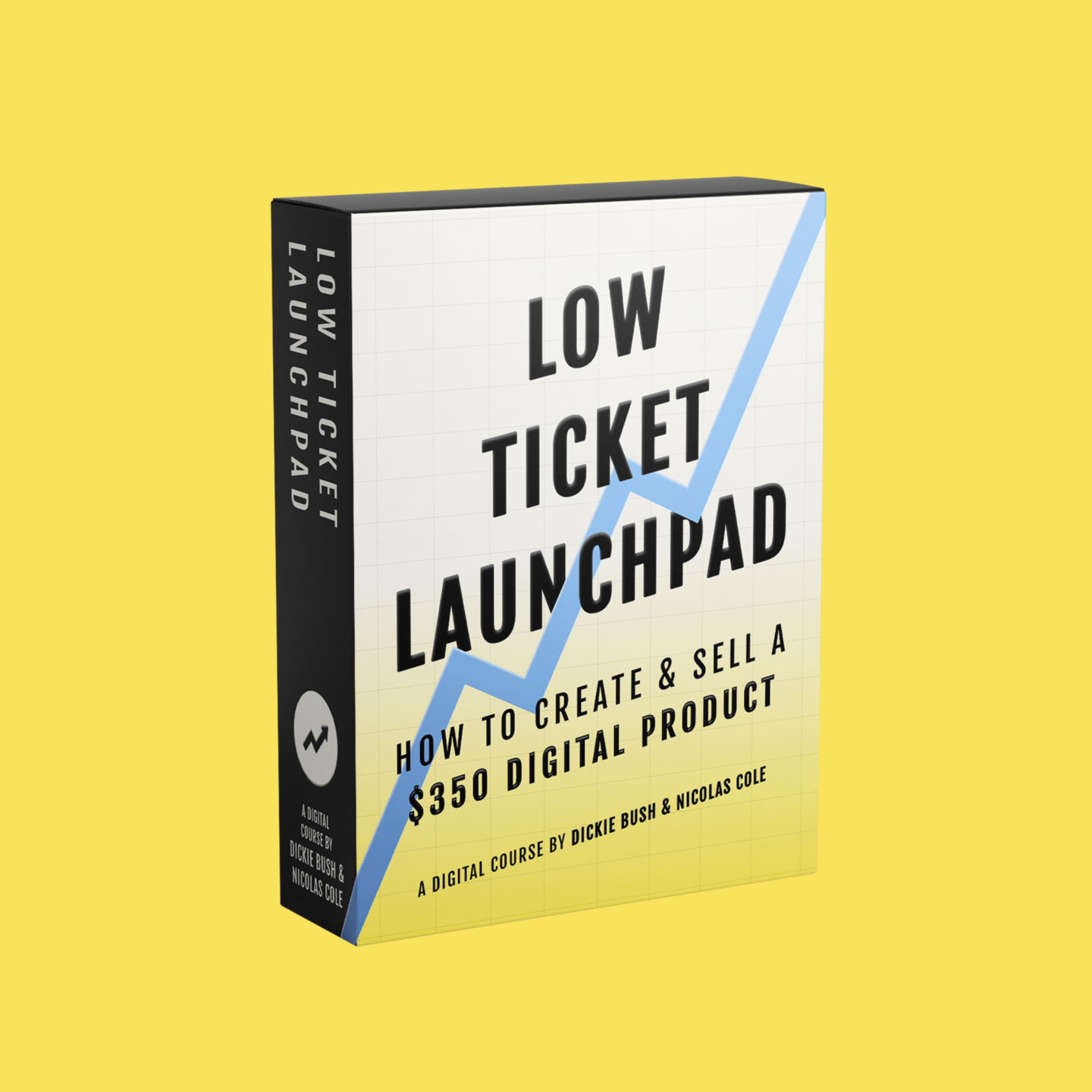
Specifically:
Different kinds of “proven designs” for digital products
Resources to increase the perceived value of your digital product
And different recommendations depending on your budget
Let’s dive in!
3 Proven Product Design Styles
Design matters—but we want to be clear about something.
Design has to come second to the content itself.
Anyone can get a professional cover designed for their eBook. Anyone can hire a graphic designer to make their stuff "pop."
But what matters is if a customer buys, opens your digital product, and then finds it so valuable they have to tell 5 of their friends about it.
So while we want to emphasize the importance of design, just remember: design comes second to the content.
That said, here are 4 proven digital product design styles to give you a sense of the different execution styles out there.
1. Minimalist
Nobody does minimalist digital product design better than Jack Butcher.
Here is the product design for his courses, Build Once, Sell Twice.
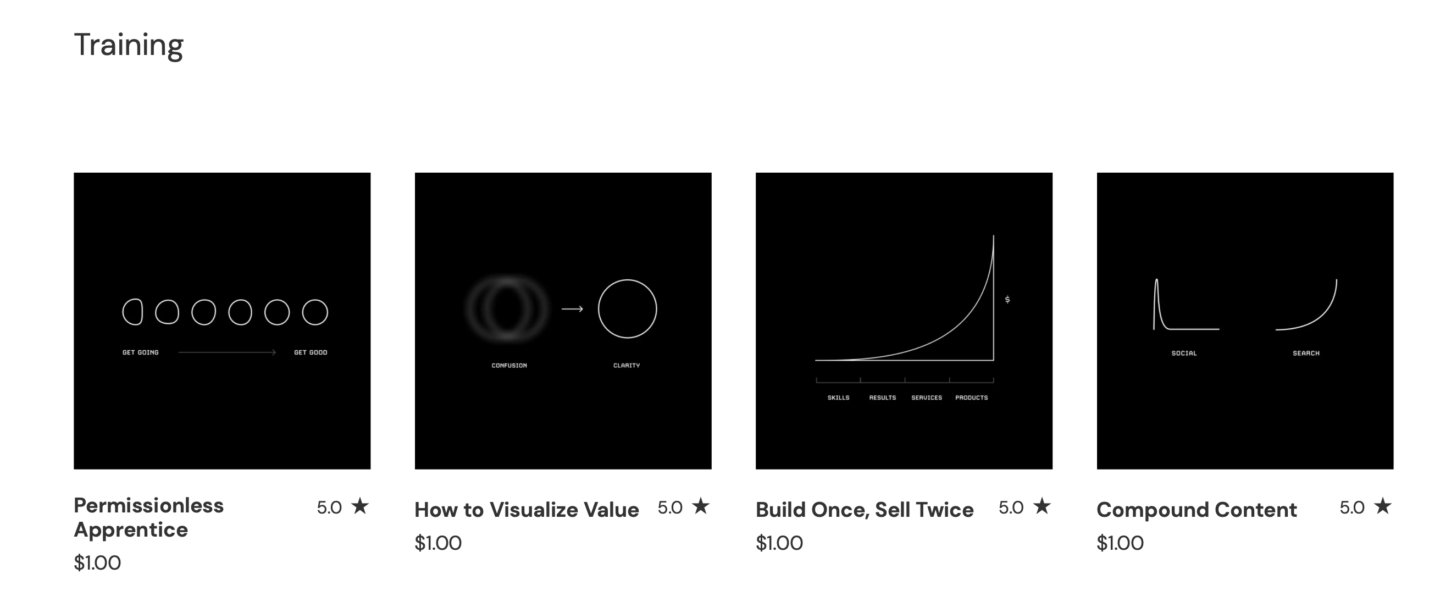
It's a black background with white font & visual.
Doesn't get much easier than that!
So, no need to overthink it.
If you don't have an "eye" for design, or you are on a budget, this is your best bet. Pick 1-2 colors, pick a font, and create it yourself (or ask a cheap graphic designer on Fiverr to help you).
The beauty of minimalist design is it sort of leaves the reader wondering, "Well if the cover is this simple... what's inside?"
2. Operating System
Another design technique is treating your eBook look like a physical product—even though it's not.
People do this all the time for eBooks, courses, even services like consulting.
They create a graphic image that makes it "look" like a software bundle you'd buy at Best Buy, which sends the signal "Woah! There's a lot here!"
Justin Welsh does this masterfully for both his core products, The LinkedIn OS and The Content OS.

(He literally calls them "Operating Systems" so using the Operating System design approach makes sense.)
3. Stock Photo Professional
If you're just starting out and you want the lowest-barrier-to-entry option, your best bet is to use some stock photography.
Michael Mcgilll, who is a Ship 30 for 30 alumni and Captain's Table member, did this beautifully with his IT Leadership Blueprint product.
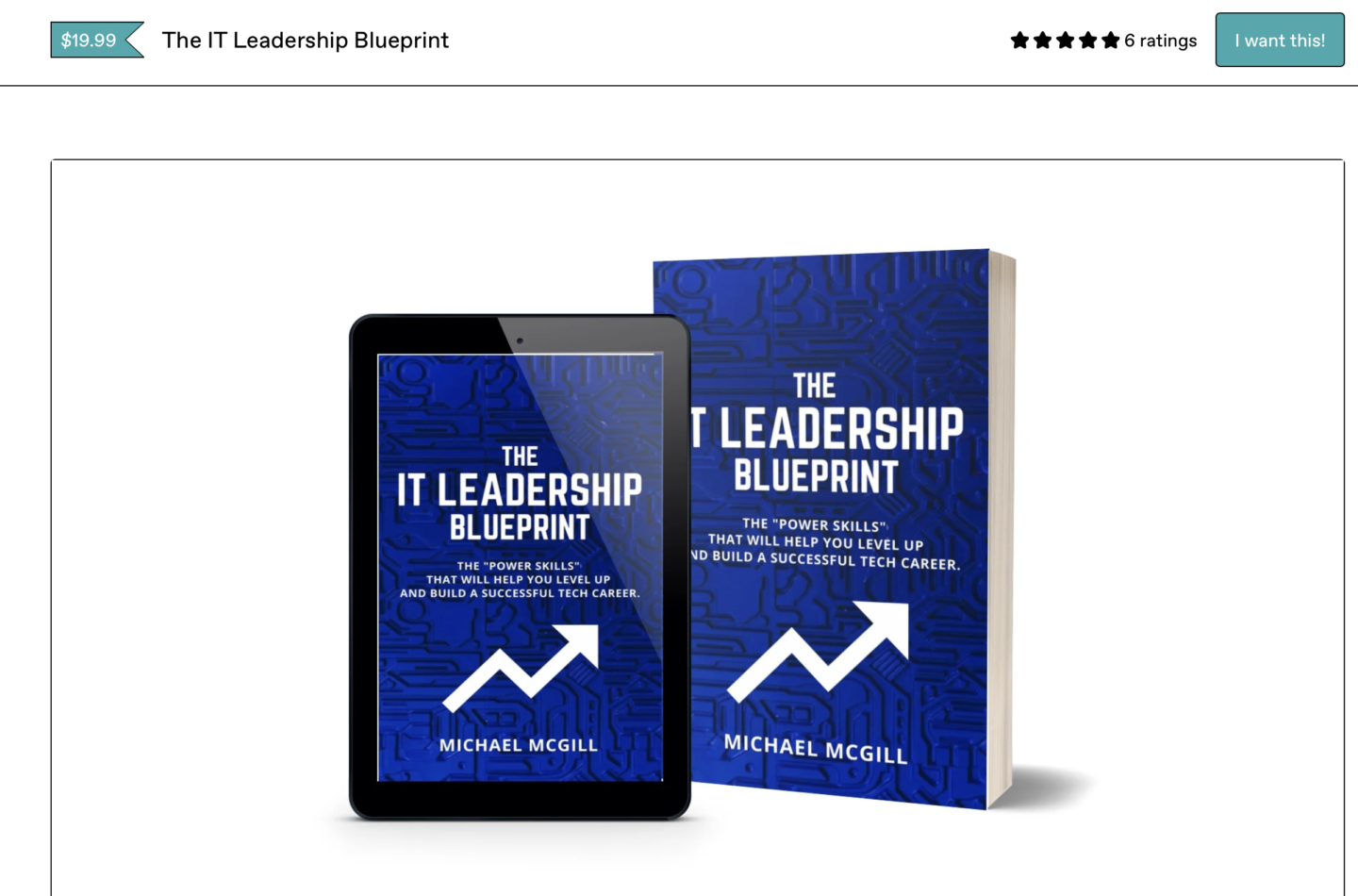
If you have the skills to do this yourself, go for it. Platforms like Canva today are super powerful and pretty easy to use.
Otherwise, it's very feasible to find a graphic designer on Fiverr who would be willing to help you.
This option is very cost-effective, however still allows you to launch something that looks professional and ready to be purchased.
Start wherever you feel most comfortable!
If you want to invest in hiring a designer to work with you to bring your idea to life, go for it.
Or, if you want to create your first digital product yourself and create the cover inside a program like Keynote, Sketch, Canva, or Photoshop, you can do that too.
The important part is: don't let this piece of the puzzle hold you back.
You can always upgrade the cover later if you want. Just focus on creating something that is "good enough" and represents your idea & the content inside that you're giving readers/customers.
Design Budgeting & Best Practices
It’s hard to give an “exact” answer here because, the truth is, you can spend as much or as little as you want on the design aspect of your digital product/course.
For example: when we first started Ship 30 for 30, we spent $0 on design.
We put up a landing page
We took a screenshot of Slack (where people were starting to join, as soon as we had it)
And we used basic screenshots & the ship emoji 🚢 as our logo for almost 2 years
…and Ship 30 for 30 generated millions of dollars in revenue.
So, you do NOT need to spend a ton of money hiring some big fancy design agency to create a custom branding kit & product box for your digital product.
You can.
But you don’t have to.
That said, here’s how I would encourage you to think about budgeting.
Budgeting 101
The easiest answer I can give you is:
Don’t invest more than 10% of your anticipated product revenue into the design of your digital product.
So, for example:
If you’re selling a $350 digital product
And you’re genuinely anticipating selling $100,000+ worth of that digital product in the first year
Then you can spend upwards of $10,000 designing that product
Because a 10x return on your money invested is pretty great!
What you should NOT do is…
Go to create your first $350 product
Have 0 audience, 0 email list, and no real signal that you’ll sell even $10,000 worth
And then go spend $10,000 designing your digital product
This would be a massive mistake—and yet, people do it all the time.
So, use 10% of projected first-year sales as a rough “ceiling” on how much you should invest in your digital product.
How Much We Invest In Our Digital Products
Just to give you some context:
Every time we launch a digital product (like the one you’re going through right now!), we roughly spend between $2,000 and $6,000 designing:
The product box
The social graphics
The Skool module headers
Etc.
That might sound like a lot of money, but you have to view these costs as investments in yourself and your own business.
Even spending $2,000 - $6,000, even with a small audience you’ll break even.
But generally speaking, if you have a growing audience and you are consistently creating content online, you have a very good shot at 2-10x-ing your investment in the first year.
(No guarantees or promises! Just sharing what we’ve observed.)
The 3 Levels Of Design Investment
Here are some different scenarios and how I would think about budgeting at each level:
Level 1: Beginner - If you’re a complete beginner with a very small audience, but you want to dip your toe into building and selling digital products, I wouldn’t even bother hiring a designer. I’d either do it yourself with Canva/stock photography, or I would do what we did in the beginning and just use screenshots of Skool (or wherever you’re hosting the modules themselves) and go with that until you generate your first $10,000.
Level 2: $10,000 - $50,000 - If you already have an existing business or side hustle making you money, and/or you launch a digital product with just screenshots, once you enter the $10k to $50k range in total revenue, you should consider investing a bit in your digital product’s design (and/or the design quality of the next product you launch). At this level, I’d consider investing $1,000 - $5,000 to increase the quality of product.
Level 3: $50,000 Or More - Once you’re consistently doing more than $50k per year from any product vertical, you should just commit to investing ~$2,000 - $6,000 in the design of any future digital products. You can hire some really incredible designers in this range for about 2-4 weeks of work, and to be honest, this “tier” lasts you a very long time. Again, this is roughly how much we invest in our own products today—and we generate millions of dollars in revenue each year from our digital products.
How To Find A Digital Product Designer
If you’re in the market to find a designer, where should you look?
All over the Internet!
But here are some places I’ve found top-tier designers:
Dribble: This is the best place to find talented “general” product designers who can do pretty much anything you need. Also just an amazing website for inspiration.
Upwork: This is a good cost-effective option. Lots of talented people on Upwork, you just have to sift through a lot of mediocre ones to find them. I recommend trying to find someone who has a portfolio where they’ve done almost exactly what you’re hiring them to do.
I Need A Book Cover: This is an amazing niche website for finding book cover designers (if you ever want to self-publish an eBook/print book!). But many of them also double-dip as product designers, so it might be worth poking around here.
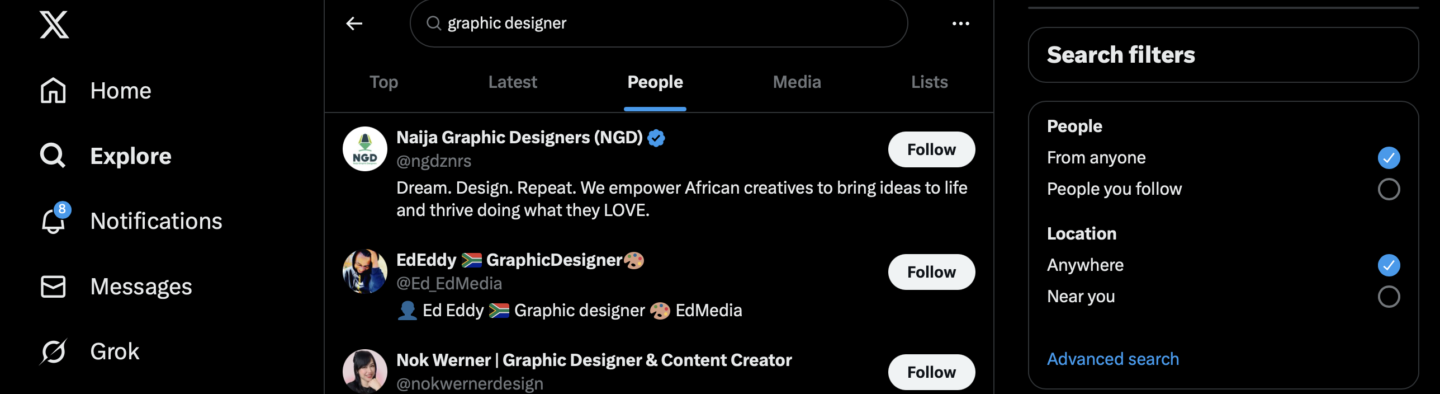
Browse X (Twitter) & LinkedIn: Tons of talented designers constantly posting their work on X and LinkedIn. Just search “graphic designer” in the search bar and sort by “People,” and then start clicking through profiles, looking at portfolios and websites, etc.
My Recommendation
There are so many talented people in the world.
So, if I were you, I’d strongly encourage you NOT to try to hire an “agency” and instead just find a talented freelance designer and/or solopreneur.
You don’t need some big fancy brand strategy.
You don’t need “a design roadmap.”
You just need someone with a good eye for design to make you a relatively simple digital product mock-up/box.
3 Design Assets You Should Create
Now, whether you do this yourself or hire someone else, these are the 3 design assets we create for every digital product drop.
Let’s use our most recent product drop as the example: Category Newsletter Creator
Asset #1: Product Box
This is, by far, the most valuable asset you can get designed—because it immediately makes your digital product “FEEL” more tangible.
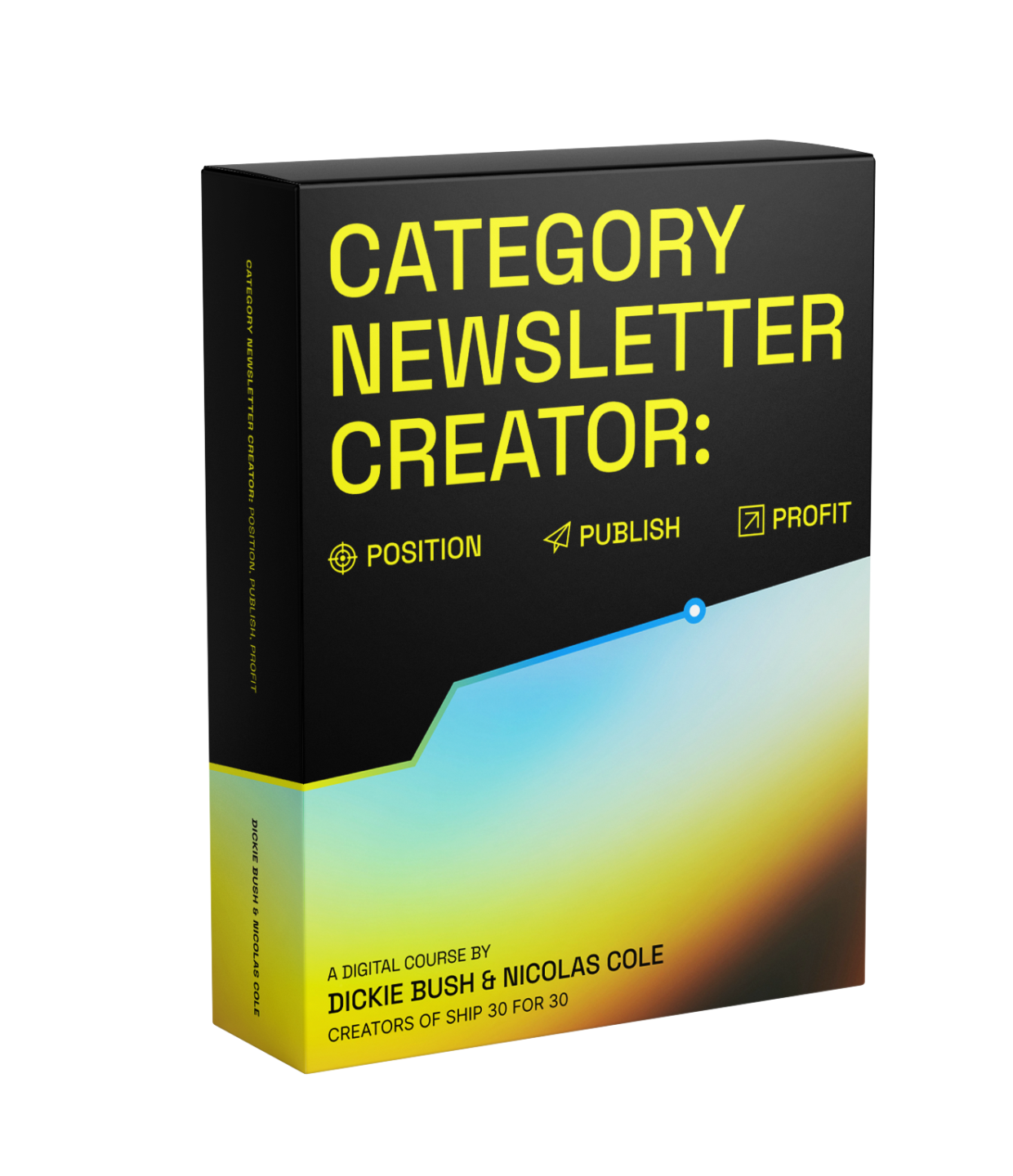
When creating this product box, 2 recommendations:
Don’t just create a head-on version (like a flat book cover). Create a more 3D version (like the example above) so it “looks” more substantial/like an analog objection.
Make sure the file type is .png and/or a vector image. This means it has a transparent background, so you can overlay this product box onto other assets like presentation slides, insert it onto a landing page over the background color, etc.
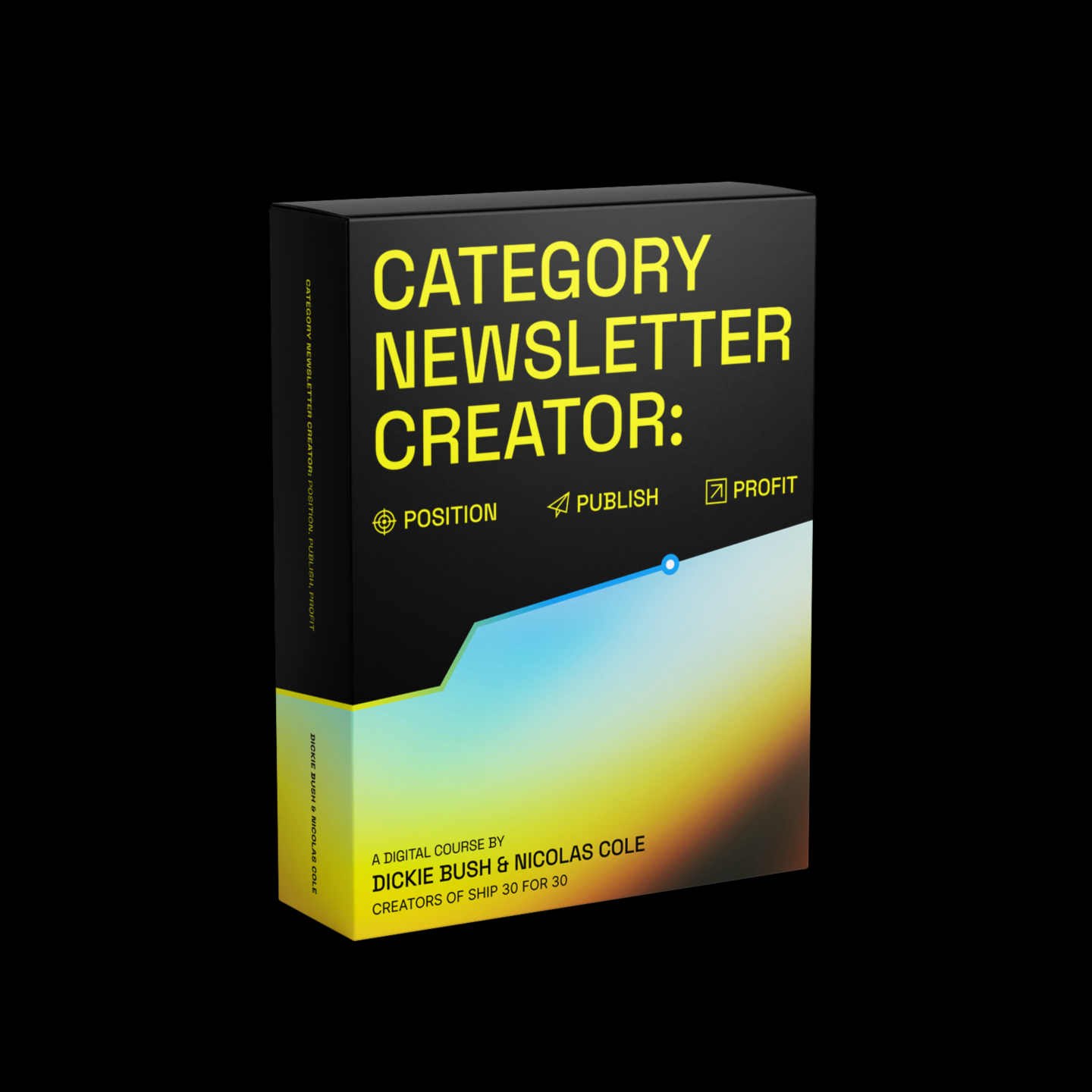
*NOTE: This is DIFFERENT than the social image below. You want a stand-alone image of the product box with a transparent background AND a square social image as a separate file.
Asset #2: Social Image
Next, you should also ask the designer to create a few versions for social media.
This means:
Product box overlaid against a black, white, or color background.
The background image is a perfect square.
And the file type for this “social” image can be a .jpg
You’ll want these so you can post about your product on social media (and have it look professional!).
Asset #3: Module Header Template
The third asset—and this isn’t required, but it’s a really nice touch—is for the designer to create a Google Slides template with:
The product box
The font
And the appropriate header layout size
Something like this:
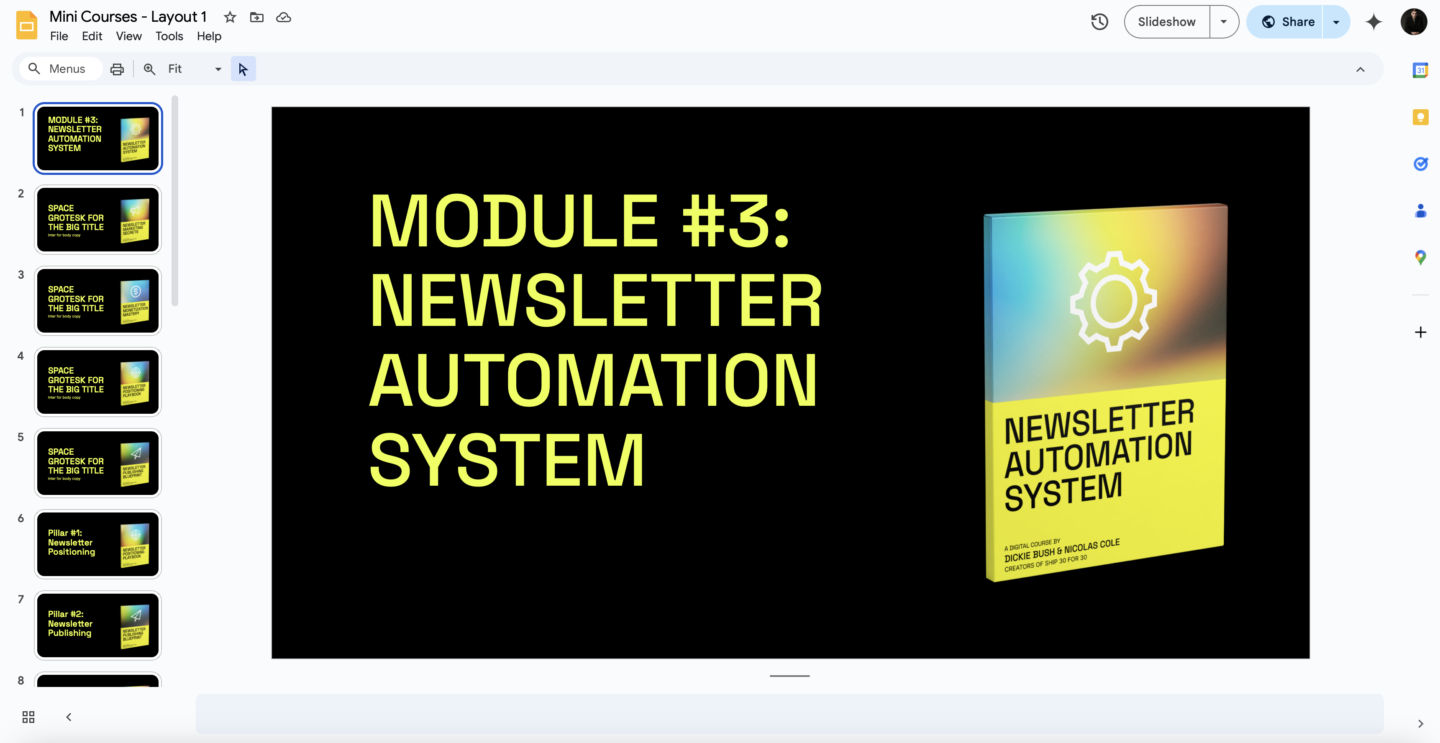
This makes it easy for you to quickly create headers for each module inside your preferred product hosting platform.
The end result looks something like this:
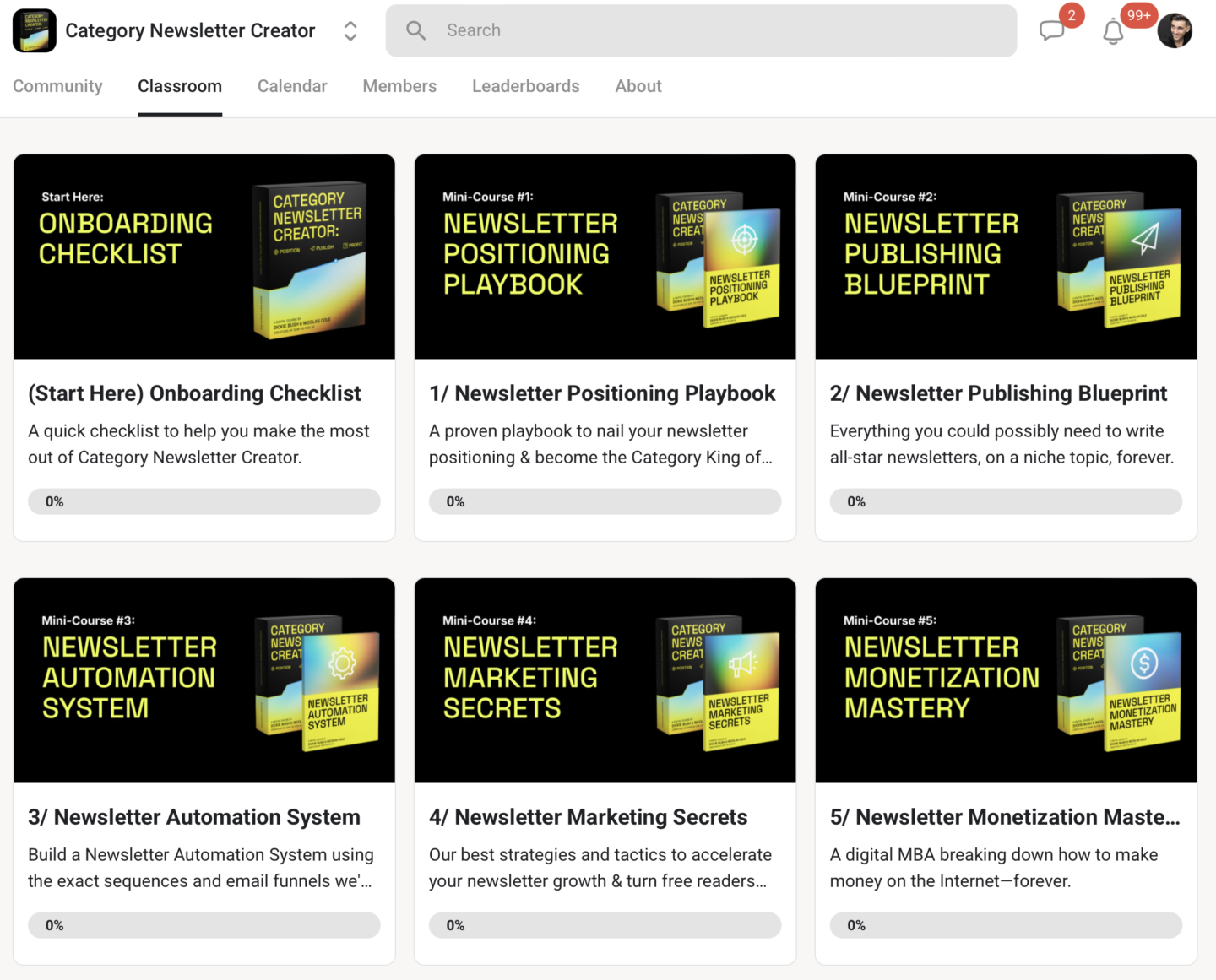
Again, it’s just another way to make your digital product “FEEL” even more tangible—and is a relatively easy thing to execute, but instantly makes your product feel really high-quality.
How To Hire A Designer
Let’s not make this any more complicated than it is.
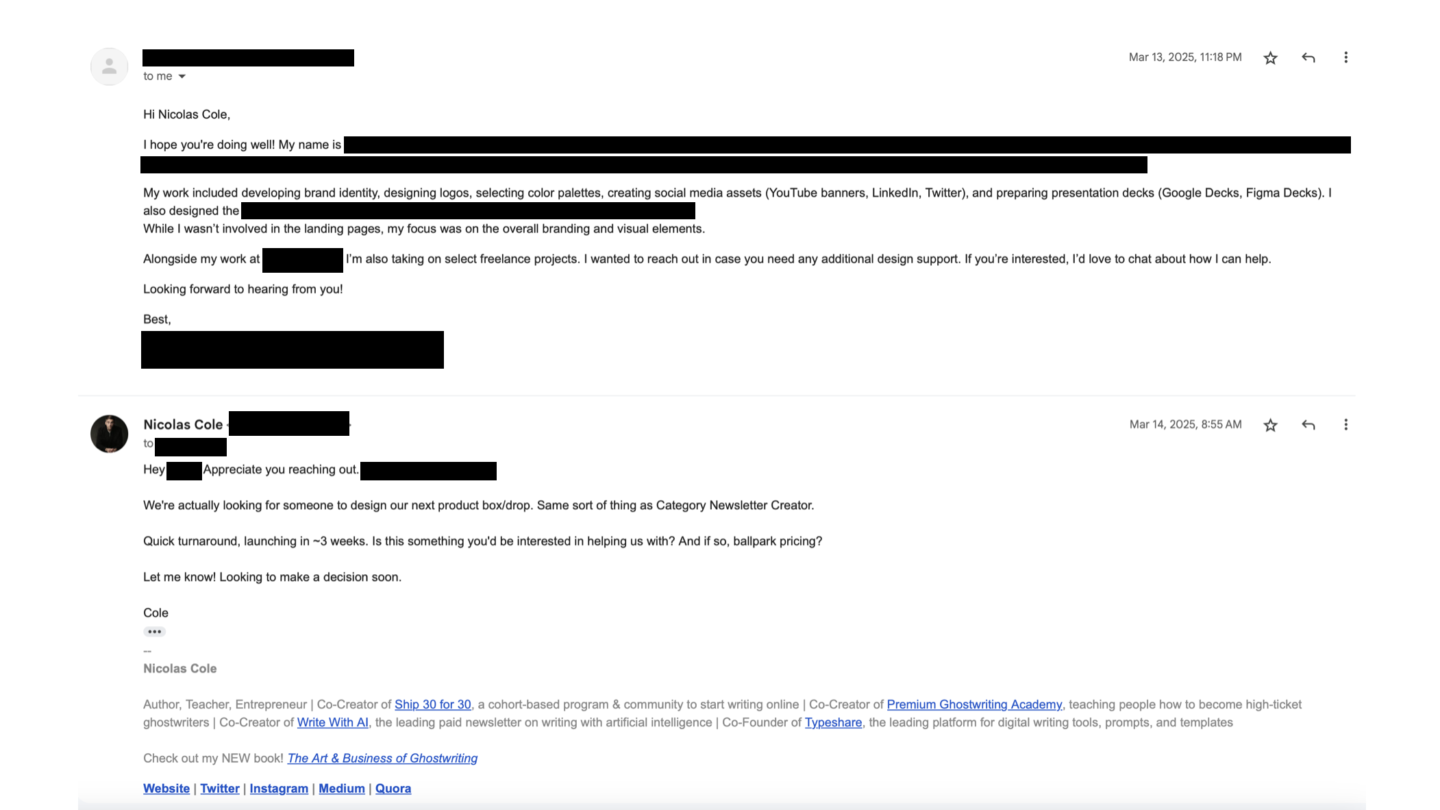
To “demystify” this for you, here’s the exact email exchange between me and the freelance designer we hired to create this Low-Ticket Launchpad product:
First, I tapped my network asking for referrals to designers:
Second, we talked about pricing for the work requested.
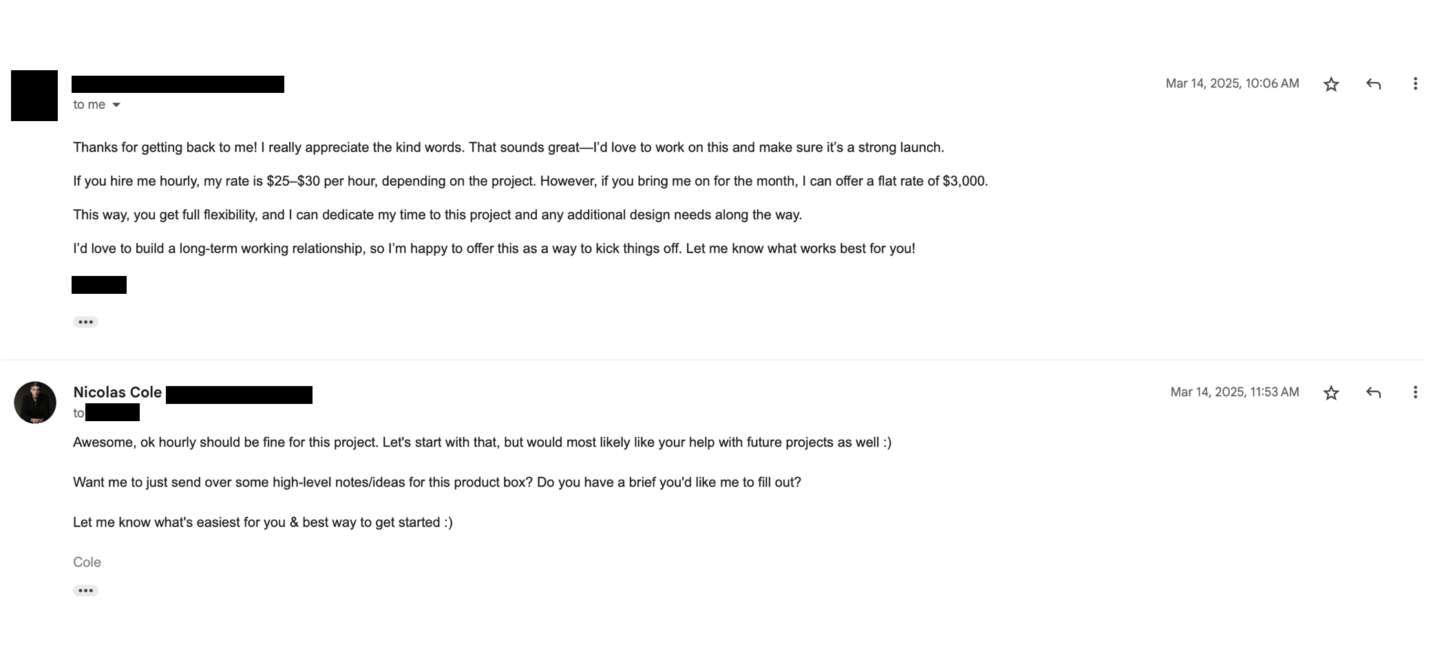
And then we got started!
See? Nothing crazy complicated.
Module 7 Exercies
That’s it for Module 7 of Low-Ticket Product Creation Playbook!
If your product is DONE and ready to be published/put up for sale, then it’s time to find a designer.
(And if it’s not done, I’d recommend waiting until you’ve finished at least a full V1 of the curriculum before opening this loop.)
Here’s what you’re going to do:
Choose one of the 3 “product styles”
Find a creator who has a product for sale using that style you can point to as an example
Find a designer (on Dribble, Upwork, social platforms, and/or your network)
Aim to spend no more than 10% of your anticipated product revenue into the design of your digital product. (My recommendation would be to spend somewhere in the ballpark of $500 - $2,000, all in.)
Then, request the following assets:
Product Box vector image (transparent background)
Product Box social square image (for social platforms)
Product Box + Google Slides header template (for Skool/Circle module design)
This is all you need to do to have an awesome, professional, high-grade Low-Ticket Digital Product for sale.
Key takeaways
TODO - For Ray